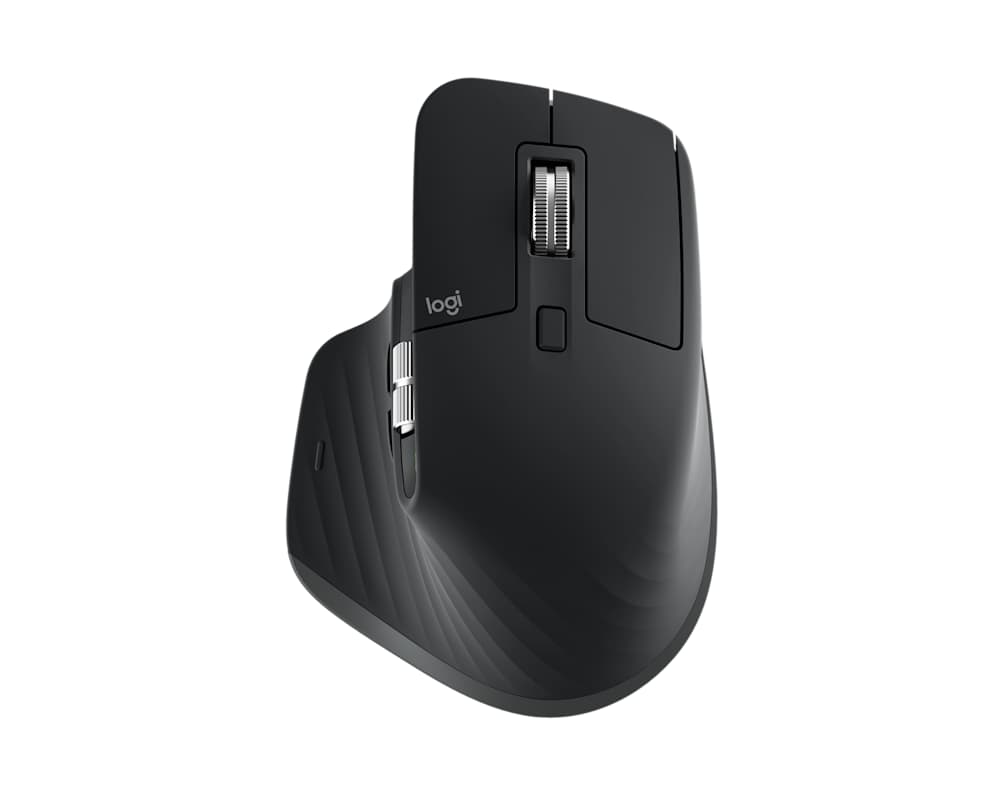
Buying guide based on published specifications. Our recommendations reflect the uses described below; this is not a hands-on test.
A mouse is one of the few purchases you may hold for hours each day. That makes fit worth thinking about before you compare features. The MX Master 3S focuses on scrolling and controls; Lift changes the way your hand sits. Neither can be declared the right shape for everyone from a photograph.
At a glance
| What matters | MX Master 3S | Lift |
|---|---|---|
| Approach | Sculpted productivity mouse | 57-degree vertical grip |
| Feature to notice | MagSpeed scrolling | Small-to-medium hand fit |
| Left-handed choice | Right-handed design | Left-handed version available |
Product facts: Logitech: MX Master 3S features · Logitech: Lift design and handedness. Battery figures are manufacturer estimates where shown.
If you spend the day scrolling… MX Master 3S gets our vote
Logitech equips the MX Master 3S with MagSpeed scrolling and quiet clicks. Our recommendation is to consider it when long documents are a large part of your day. Think about the tasks you repeat most often. A control you use constantly can justify a purchase more convincingly than a list of functions you will never set up.
If you want a different grip… look at Lift
Lift uses a 57-degree vertical design, and Logitech recommends it for small to medium hands. That is the starting point, rather than a promise that it will feel right immediately. If possible, put your hand on one before ordering. Notice where your fingers land and whether reaching the buttons feels natural.
If you use your left hand… Lift offers an option
Logitech makes a left-handed Lift. Check the exact variant at checkout; the name alone does not tell you which version you have selected. We would put handedness ahead of every additional control on a comparison chart. Buying the wrong orientation is a much bigger problem than missing a feature.
Before changing your desk… give fit a proper check
Choose a retailer with a clear return policy and keep the packaging until you have used the mouse in your normal setup. A few minutes at a shop counter may not reflect your desk height, chair position or workload. We have not assessed either mouse as a treatment for pain, and this guide does not make a medical benefit claim.
The verdict: choose for the work your hand actually does
MX Master 3S is our recommendation when scrolling and familiar desk work drive the purchase. Lift belongs on your shortlist when its vertical shape and hand-size guidance match what you want. The image here shows the MX Master 3S Bluetooth Edition; check connectivity and receiver contents for the exact listing you buy. This comparison is not a claim that the 3S is Logitech's newest model.