Buying guide based on published specifications. Our recommendations reflect the uses described below; this is not a hands-on test.
It is easy to buy a streaming player by looking at picture labels. But when you sit down at the end of the day, finding the remote and getting to your programme can matter just as much. We are comparing Roku's current Ultra with the 2025 Streaming Stick Plus, not the older Streaming Stick+ or the separate Streaming Stick 4K.
At a glance
| What matters | Roku Ultra | Streaming Stick Plus (2025) |
|---|---|---|
| Picture formats | 4K, HDR10+, Dolby Vision | 4K, HDR10+ |
| Remote | Rechargeable, backlit Voice Remote Pro | Voice Remote with TV controls |
| Our reason to choose it | Remote conveniences and Ethernet | A compact 4K setup |
Product facts: Roku: Ultra specifications and remote · Roku: Streaming Stick Plus specifications. Battery figures are manufacturer estimates where shown.
If you lose the remote… Ultra has a useful answer
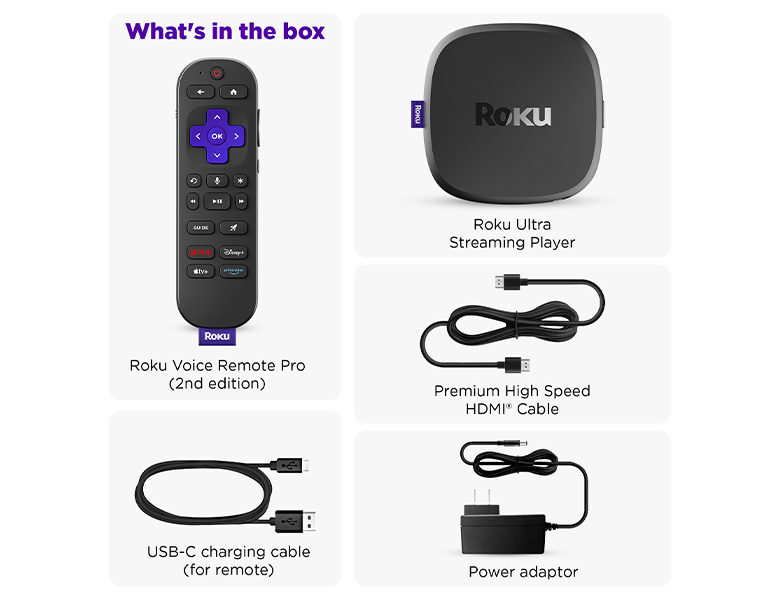
Ultra includes a rechargeable Voice Remote Pro with backlit buttons and a lost-remote finder. Those are tangible conveniences. If you regularly search between the cushions or struggle to make out buttons during a film, we think they deserve more attention than another performance slogan.
If you want less on the TV stand… the Stick wins
Streaming Stick Plus plugs into an HDMI port and is designed to take power from the TV's USB port. It includes a voice remote with TV power and volume controls. Check the setup instructions for your television. For a spare room where you simply want access to streaming, this is an appealingly compact approach.
If you want a wired connection… choose Ultra
Roku lists an Ethernet port on Ultra, alongside Wi-Fi 6. If you already have a network cable beside the television and intend to use it, that is a concrete reason to choose the box. A wired connection still depends on the rest of your network and internet service; it is not a blanket guarantee of uninterrupted playback.
If picture quality is your reason… check the whole setup
Ultra supports Dolby Vision in addition to 4K and HDR10+. Before paying for a format, check that your television and the content you watch support it. Also check the subscription tier you intend to use. The player is one part of the purchase, and the ongoing service cost deserves a place in the decision.
The verdict: pay for the convenience you will use
Ultra is our recommendation for a main TV when its remote or wired networking makes daily viewing easier. Streaming Stick Plus is our choice for someone who just wants a compact 4K player. Write down the annoyance you want to remove. If Ultra's extras do not address it, keep the simpler option on your shortlist.